IT Support & Hardware/Software Maintenance
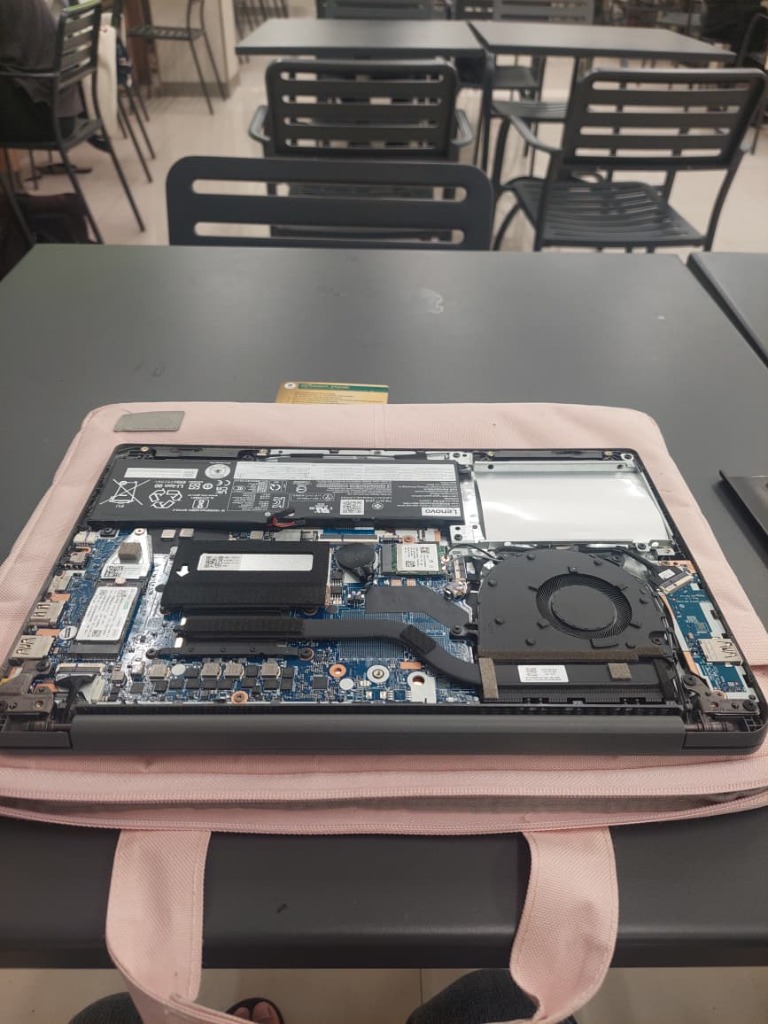
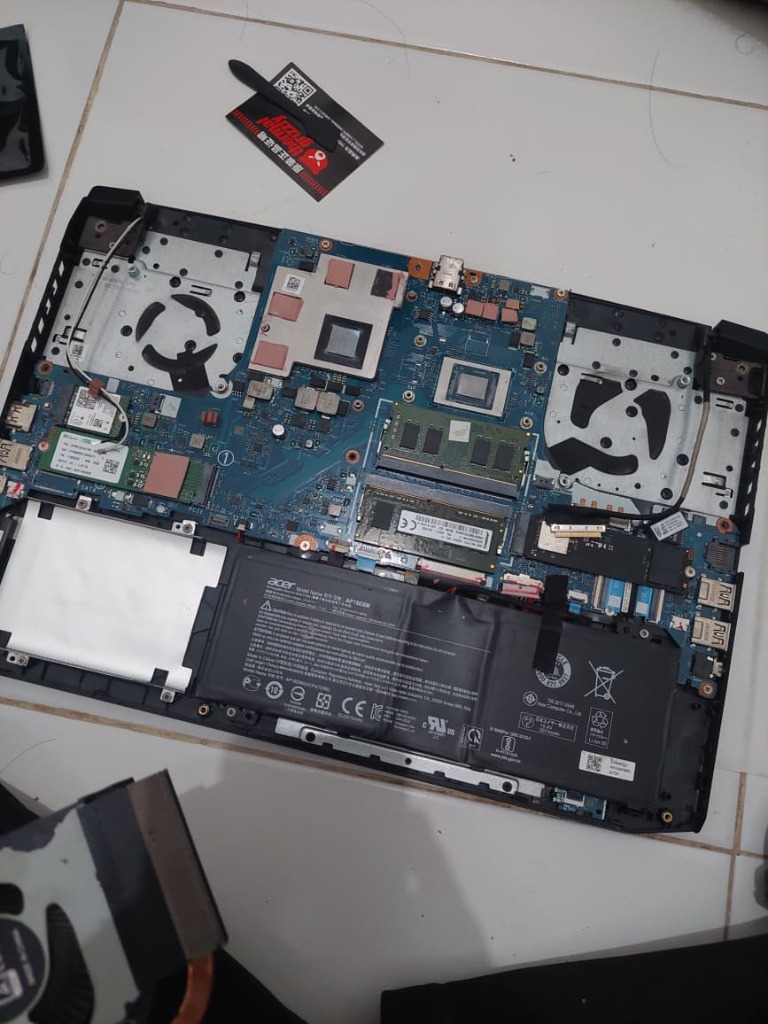
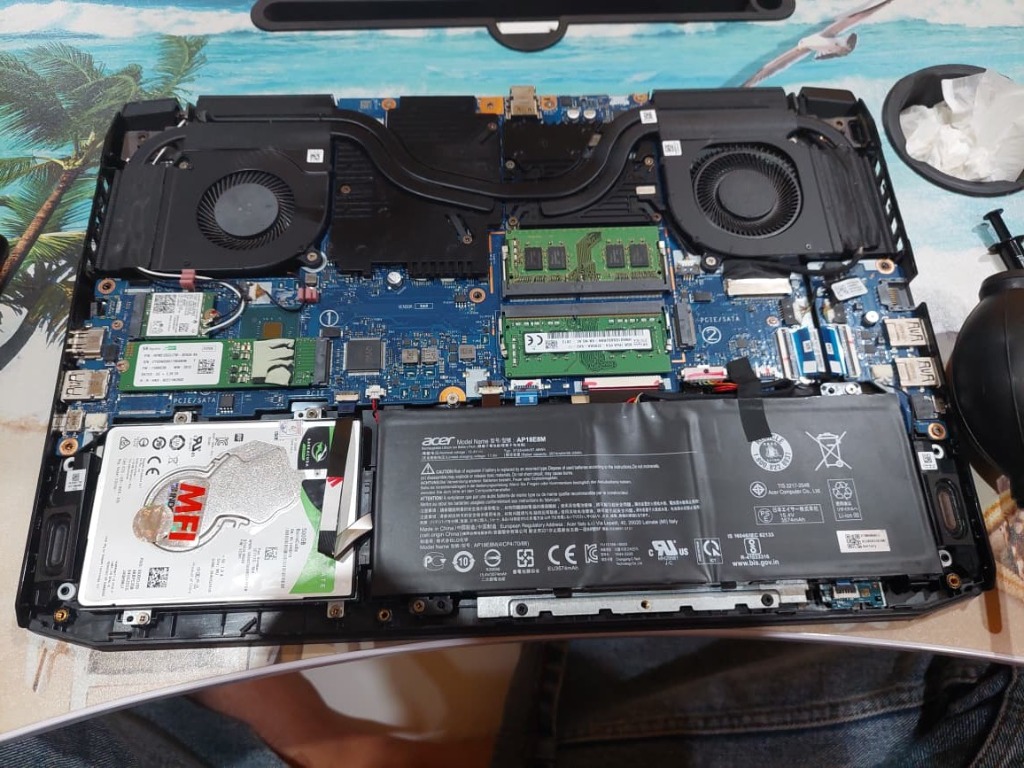
This project highlights my hands-on experience in computer hardware maintenance, operating system installation, and remote technical support. I independently performed hardware servicing tasks, including Wi-Fi troubleshooting, SSD and RAM upgrades, internal speaker repair, fan cleaning, and thermal paste replacement using Isopropyl Alcohol (IPA) for cleaning.
I also installed and configured Windows and Linux operating systems, set up device drivers, and used AnyDesk to assist with software troubleshooting. These tasks strengthened my practical skills in hardware diagnostics, system maintenance, and root-cause analysis.
Featured Troubleshooting Case Studies (Real-World Field Cases) Measured Results
The laptop experienced overheating during multitasking. I disassembled the cooling system, removed accumulated dust from the heatsink and fans, cleaned the old thermal compound using 99% isopropyl alcohol (IPA), and reapplied thermal paste.
Recorded CPU Core Average Temperature using HWiNFO before and after thermal maintenance, under idle and everyday multitasking conditions. The workload test involved opening 25 Chrome tabs. These results reflect the conditions of this test rather than a standardized benchmark.
| Test Condition | Before | After | Change |
|---|---|---|---|
| Idle | 65°C | 53°C | −12°C |
| Multitasking (25 Chrome tabs) | 71°C | 58°C | −13°C |
Client laptop experienced completely missing Wi-Fi adapter in Windows (card not detected / driver error). Repeated standard driver installations failed. Disassembled M.2 Wi-Fi card and cleaned gold PCIe pins with IPA, yet the issue persisted in Windows.
- OS Isolation: Booted an alternative environment via Live USB Ubuntu Linux to separate OS vs. hardware issues.
- Linux Test Result: The Wi-Fi adapter was detected and connected successfully in Ubuntu Live USB, suggesting that the issue was related to the Windows environment or its drivers.
- Likely Cause: A Windows driver or network configuration issue was suspected based on the successful Wi-Fi test in Ubuntu Live USB.
- Resolution: Reset Windows and installed the appropriate official drivers. Wi-Fi connectivity was restored successfully without replacing the Wi-Fi card.
The laptop initially experienced distorted audio caused by a damaged right speaker diaphragm. After disassembling the laptop, I applied bonding adhesive to the damaged diaphragm, successfully restoring clear audio. Approximately three months later, the left speaker failed, while the previously repaired right speaker remained functional. The owner's habit of gaming at maximum volume for extended periods was considered a possible contributing factor.
- Initial Repair: Repaired the damaged right speaker diaphragm using bonding adhesive, restoring clear audio.
- Subsequent Failure: The left speaker failed approximately three months later, while the repaired right speaker continued to function properly.
- Hardware Replacement: Purchased and installed a compatible aftermarket dual-speaker assembly containing both left and right speakers.
- Post-Installation Testing: Tested the replacement speakers and confirmed clear audio output.
- Preventive Advice: Recommended avoiding prolonged use at maximum volume to help reduce the risk of speaker damage.
- Long-Term Feedback: Nearly one year after the replacement, the owner reported that the speakers were still working well.